
Know what every field needs this month.
Farmer Planner is a free season planner for Farming Simulator 25 (FS25). It reads your savegame and keeps fields, crops, fertilizer, animals and feed in one plan, updated every time the game saves.
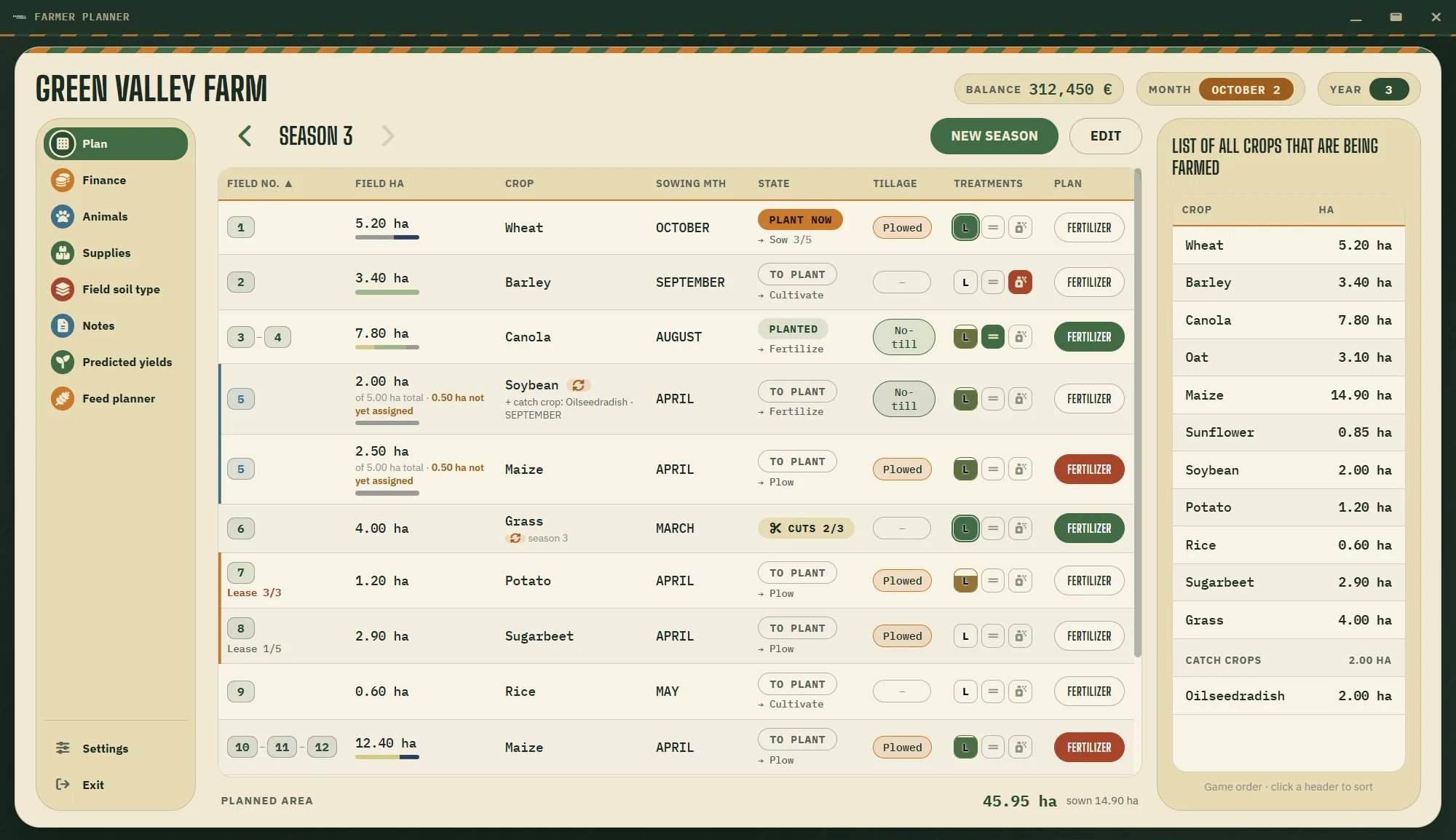
Pick a month, see the work
The planner knows each crop's sowing and harvest months from the map you play on. Change the month and every field shows what's due: sow now, growing, harvest or still to plant.
| Field | Area | Crop | State |
|---|
One plan for the whole farm
Season plan
- Every field with its area, crop, sowing month, state, ploughing or no-till, soil type and fertilization plan.
- Catch crops on the same field, before or after the main crop.
- Past seasons kept, so you can step back and compare.
- Crop rotation warnings and a summary of hectares per crop.
Synced with your game
- Balance, loans, playtime, equipment and animals read from your savegame.
- Refreshes on its own every time the game saves, autosave included.
- The map's crops and sowing calendar read from the map mod.
- Field soils from Precision Farming, straight from the save.
Tools
- Finance month by month and season by season.
- Supplies: how much seed and fertilizer to buy this season.
- Predicted yields.
- Notes pinned to months, with tags and a checklist.
Animals and feed, worked out
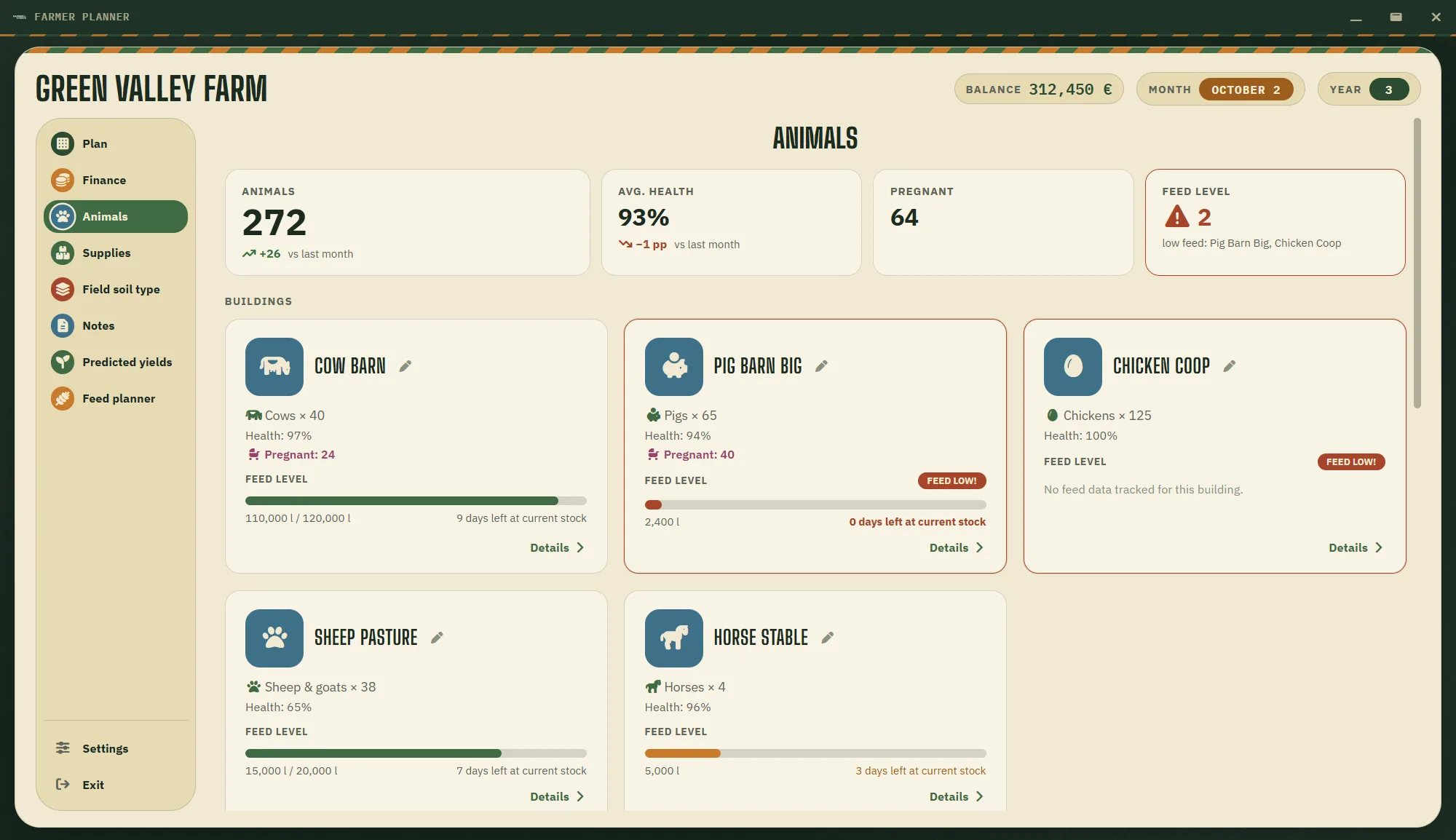
One tile per barn: the herd by breed and age, how many days the feed lasts, daily needs, output and pregnancies. The feed planner tells you what's missing and how many hectares to sow, and the mixer wagon calculator checks your mix against the game's TMR recipe.
Works with AnimalFoodCalculator and EnhancedAnimalSystem, and shows breed pictures from your mods.
Getting started
About two minutes from download to your first synced plan.
- Download the installer and run it. Nothing else needs to be installed.
- Click Add farm and enter the farm and map name.
- Open the farm, go to Settings and point it to your savegame's careerSavegame.xml.
- Turn on auto-sync and click Save & import.
- Plan your fields. The planner keeps up while you play.
Questions
Does it change my savegame?
No. Farmer Planner only reads game files and never writes to them.
Which maps and mods does it support?
Any map: the crops and calendar are read from the map mod your savegame uses. It also understands Precision Farming, AnimalFoodCalculator, EnhancedAnimalSystem, Animal Package (vanilla edition), Bank And Credit and Enhanced Loan System.
Where are my farms stored?
In Documents\Farmer Planner, so they're easy to find, copy or back up. The app can also export and import a farm backup.
Does it work in multiplayer?
Yes. In a save with several farms you choose your own farm in Settings, and the planner reads only its money, land, animals and feed.
Is it free?
Yes, and the source code is on GitHub.